Locked Out of 2FA and Don't Have Your Recovery Codes
Last updated: 2026-08-27
If you've enabled two-factor authentication (2FA) on your account (owner or staff), can't access your verification method (the phone with your authenticator app, or your registered email), and can't find the recovery codes you saved when you first set it up, it's important to be clear about where things stand.
The sign-in screen only accepts two things: a six-digit code from your authenticator app or email, or one of the recovery codes issued when 2FA was first turned on. There is currently no other automated fallback built into the sign-in flow.
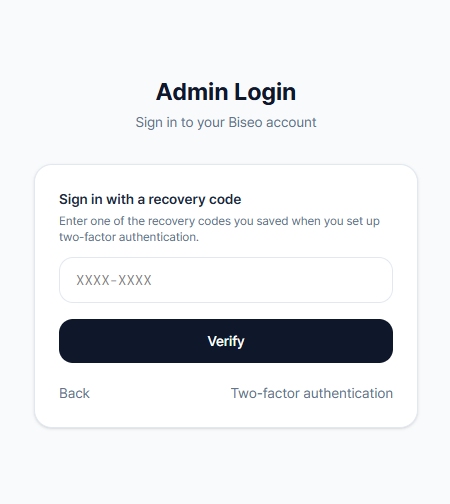
Example: Say a nail salon owner loses their phone, which also means losing access to Google Authenticator, and can no longer find the recovery codes saved when 2FA was first set up. At that point, there's no automated option left to try on the sign-in screen itself. What does work is submitting a request through the Support contact form explaining the situation — the Biseo team then manually verifies the owner's identity and restores account access. This is a real but manual, human-assisted process rather than an automated one, so it can take some time to be reviewed and actioned after you submit it.
- What to do right now: Contact us through the Support form and explain that you've lost access to your 2FA method and don't have your recovery codes. The Biseo team will verify your identity and manually restore access to your account. This isn't automated, so it won't happen instantly.
- The best fix is prevention: When you first turn on 2FA, download or print the recovery codes shown on screen and store them somewhere safe — a password manager, a printed copy kept securely, and so on. Doing this one step upfront avoids the whole situation this article describes.
Can't find what you're looking for? Contact us →