Booking page vs. mini-site
Last updated: 2026-11-13
The booking page is just the booking form: clients pick a service and a time. The mini-site is a simple web page for your shop, with photos, services, opening hours and a Book now button that opens the booking page. Both are free on every plan; Growth adds more to the mini-site, such as team profiles and reviews.
Which one you lead with mainly depends on whether you already have another channel, such as Instagram or an existing website.
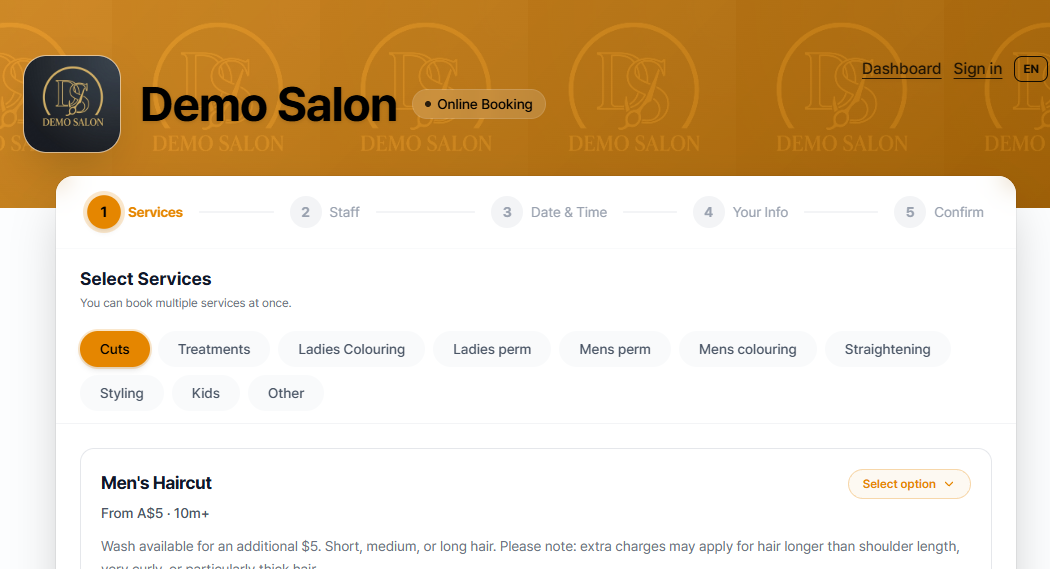
1. Booking Page
Free on every plan. It shows only the clean, five-step booking flow — pick a service, pick a time. Ideal if you already have an Instagram profile or a separate website. Since your shop introduction and reviews already live somewhere else, this page works well as the destination customers land on the moment they tap "Book now".
2. Mini-site (Storefront)
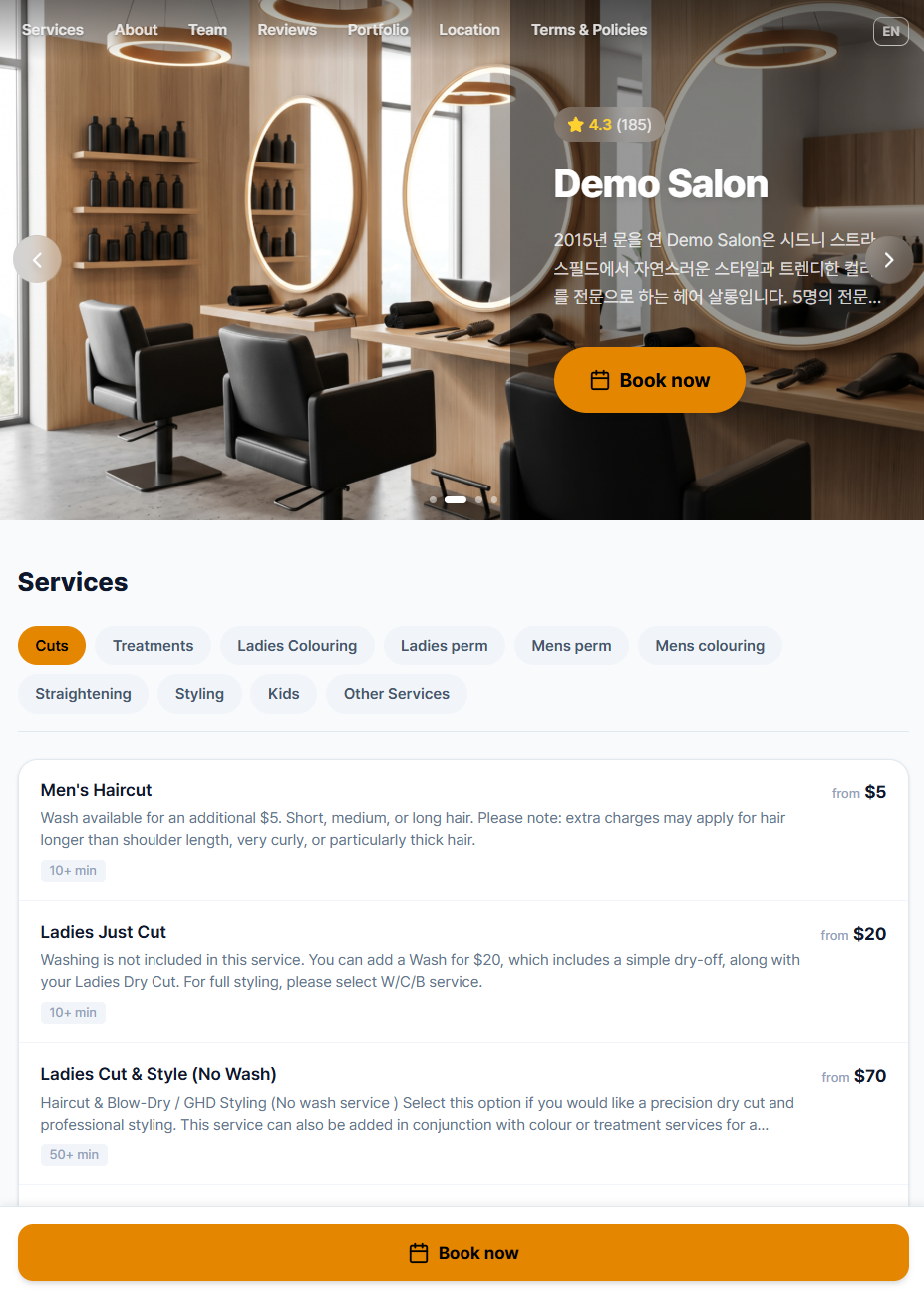
This is a simple web page for your shop: a cover photo, your services, a description of your shop, and your location and opening hours. The booking form isn't on the mini-site itself. Its Book now buttons open the booking page. On Growth and AutoPilot it also shows your team, reviews, portfolio and FAQ.
The mini-site only appears once Enable mini-site is turned on in Settings > Storefront.
What changes by plan
The booking page is the same on every plan. The mini-site differs:
| Plan | Biseo branding | Photos | Extra sections |
|---|---|---|---|
| Free | "Powered by Biseo" badge on the cover photo, plus a "Powered by Biseo" link at the bottom | 1 | None |
| Starter | "Powered by Biseo" link at the bottom | 1 | None |
| Growth and AutoPilot | None | Up to 10 | Team, reviews, portfolio, FAQ, a YouTube video, social media links, and your own fonts and layout |
For full plan details, see Comparing and Changing Biseo Subscription Plans.
Example: "Relax Spa" massage studio already runs an active Instagram account, posting reviews and treatment photos regularly. In that case, the Instagram bio link doesn't need to double as a homepage — it's more efficient to point it straight at the Booking Page, so a tap goes directly to service selection. By contrast, newly opened nail studio "Nail by G" has no separate website yet and only a small social following, so linking its Instagram bio to a mini-site — one that shows shop photos, a team introduction, and reviews all in one place — does more to build trust with first-time customers. If Nail by G is still on the Free plan, its mini-site shows a "Powered by Biseo" badge on the cover photo and a link at the bottom. Starter removes the badge, and Growth removes both and adds the team and reviews sections.
Can't find what you're looking for? Contact us →