Connecting Stripe to collect an online deposit
Last updated: 2026-08-27
The most effective way to cut down no-shows is to collect a deposit at booking time.
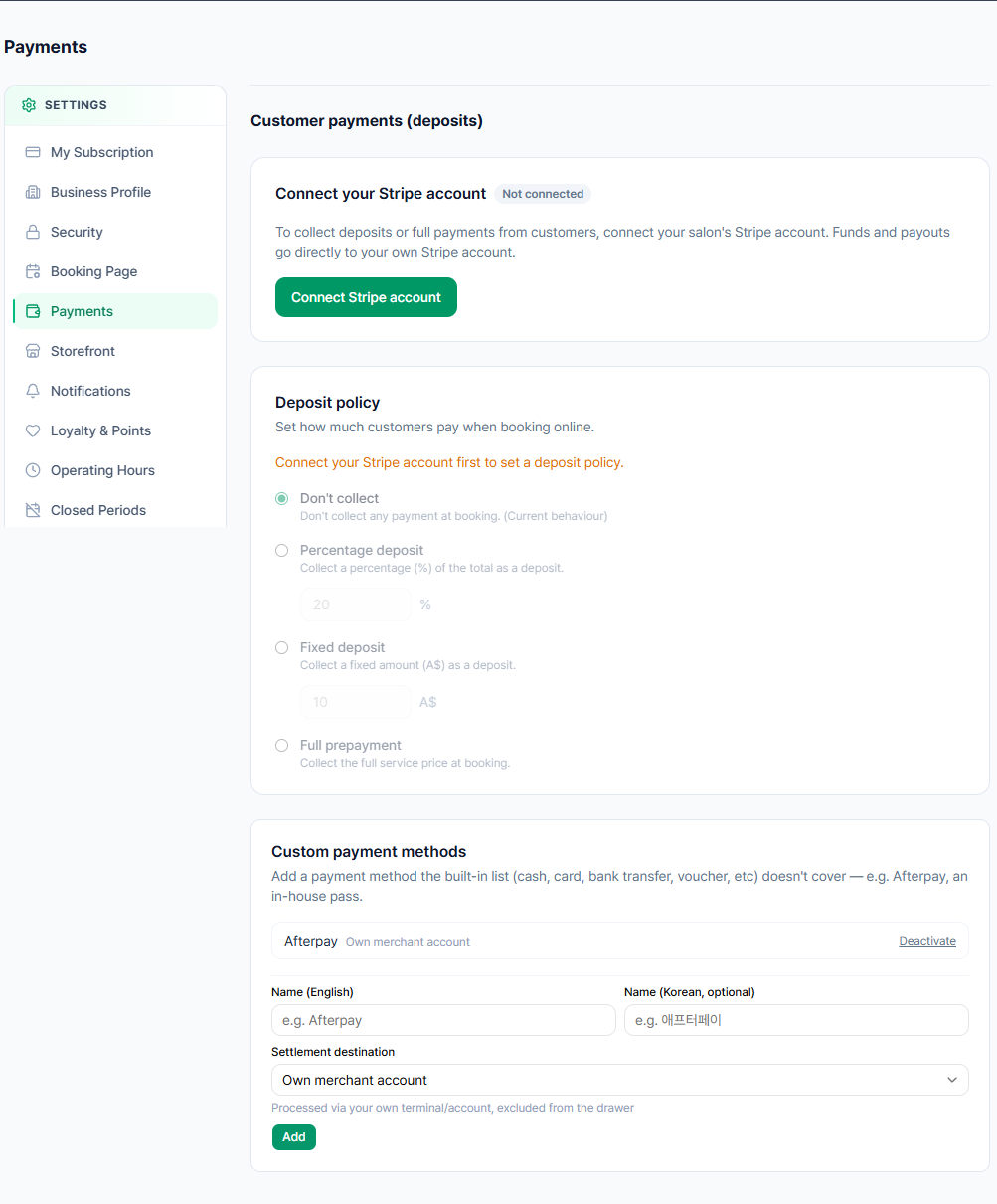
- Connect your Stripe account in the Online Payments section, found at the bottom of the Settings > Booking Page menu. (Growth plan only)
- Once connected, set the payment mode to a partial prepayment (percentage or fixed-amount deposit) or full prepayment, and set the amount (e.g. a fixed A$20, or a percentage of the total).
- The customer must pay the deposit (or full amount) by card at the final step of booking before the booking is confirmed.
Example: Say a nail salon that charges A$80 for a gel manicure sets a fixed deposit of A$20. When a customer picks the service and a time slot on the online booking page and reaches the final step, they must pay that A$20 by card before the booking moves to confirmed. If the owner instead sets the deposit to "30% of the total", the same A$80 service would automatically calculate and charge A$24 at booking time. If "full prepayment" is selected, the entire A$80 is charged by card at the time of booking.
What "deposit protection" actually means
Connecting Stripe doesn't mean the system automatically charges an extra no-show penalty fee. What's actually protected is the deposit (or full amount) already collected at booking time.
Later, when you mark that booking as cancelled or no-show, whether to refund or keep (forfeit) the amount already collected is a manual decision you (or the assigned staff member) make each time on the admin screen. For example, in the nail salon scenario above, if the customer doesn't show up, whether to refund or keep the A$20 (or A$24) already charged is a decision the owner makes at that moment — Stripe and Biseo don't add any extra no-show penalty on top of it. See "Setting a payment policy to prevent no-shows" for details.
Can't find what you're looking for? Contact us →