Mini-site font and link customisation
Last updated: 2026-09-05
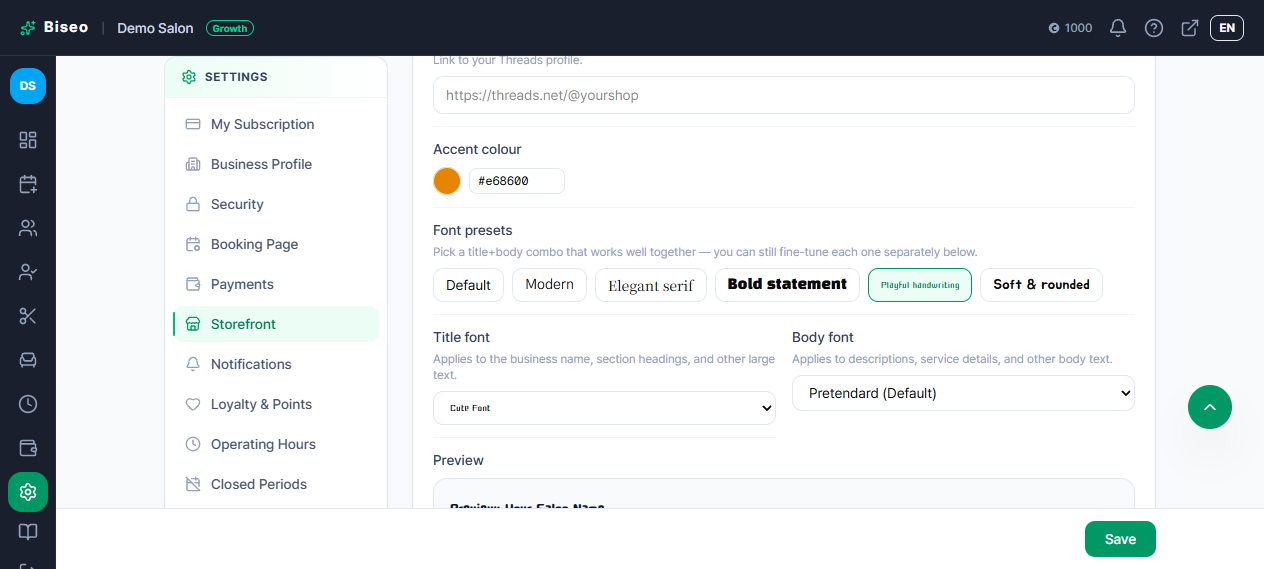
From Settings > Storefront, you can fine-tune the look of your shop page even further.
Choose separate title and body fonts (Growth)
You can now set a different font for large text (your shop name, section titles) than for body text (descriptions, service details).
- Font presets: Default / Modern / Elegant Serif / Bold Statement / Playful Handwriting / Soft Rounded — pick a matching title+body pair in one click.
- After picking a preset, you can still change the title font and body font separately to whatever you like.
- A live preview updates on screen as you choose, so you can see it before saving.
Some handwriting-style fonts render quite small, which can be hard to read as body text — a warning appears on screen if you pick one of these for body text.
Add a shop or external booking link
If you need to send clients somewhere other than your online booking form — a separate marketplace listing, or another booking system — you can show that link on your mini-site.
- Go to Settings > Storefront and enter the link's address.
- Choose the label clients will see for it (e.g. "Buy tickets", "Apply for a membership").
- Save, and it appears alongside your other mini-site links.
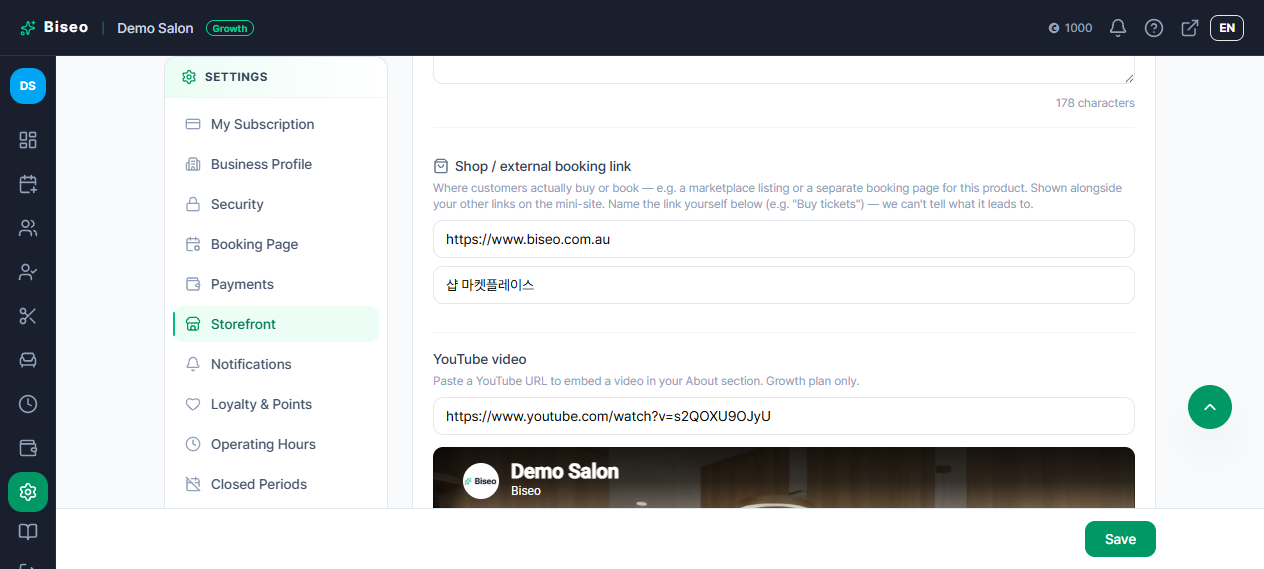
Since we can't automatically tell where this link goes, you'll need to write the label yourself.
Can't find what you're looking for? Contact us →